


Syno AI QuickStart
Type your questions in the textbox provided at bottom of chat window.
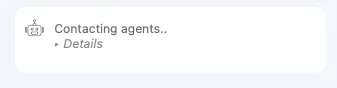
If you see the below screenshot after submit your questions, please wait for Syno AI to reply your questions based on our data collection.
You can also clear chat message by clicking the hamburger menu at top left of chatbot and choose "Clear History" to clear the whole conversation.